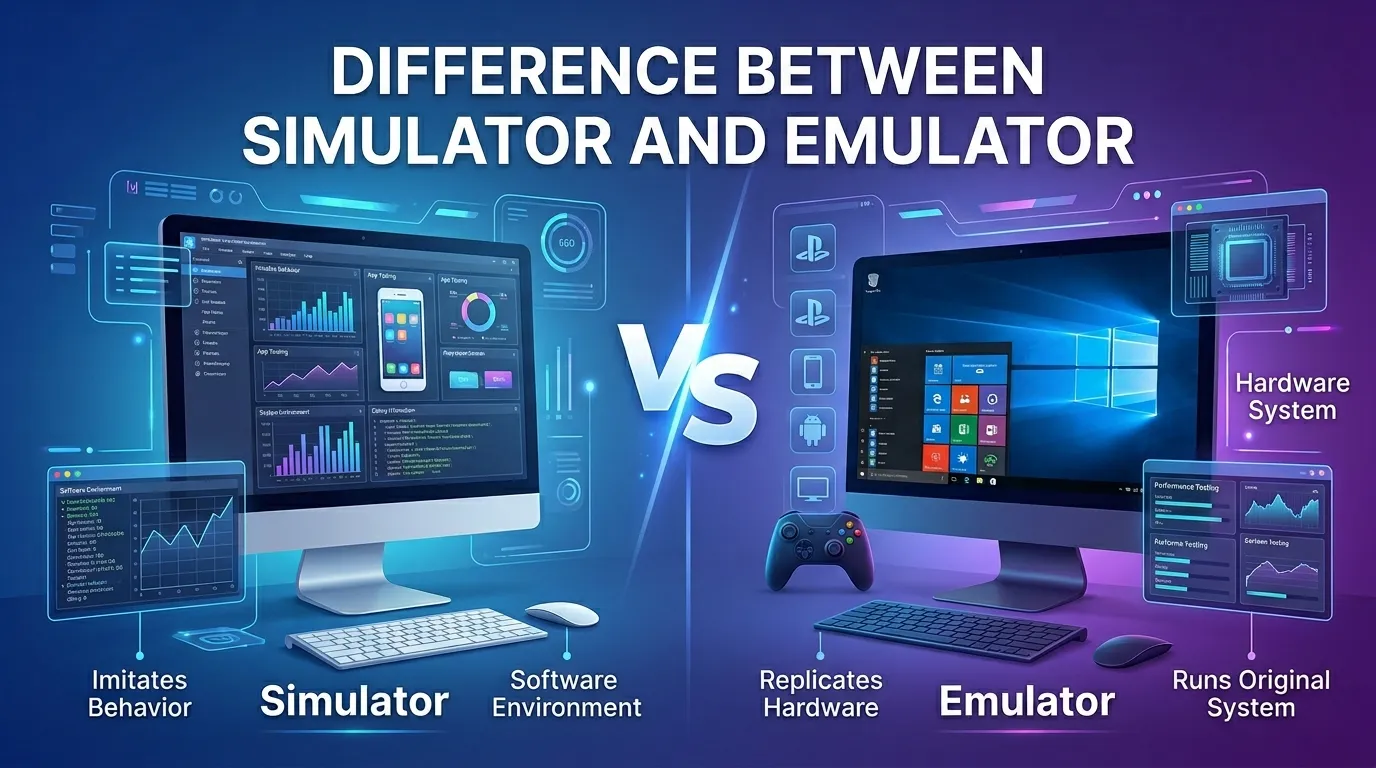
A simulator copies how a system behaves, while an emulator copies both the behaviour and the original system environment.
Ethan was building a mobile app in his college lab in Boston. His teacher asked him to test it using an emulator, but Ethan opened a simulator instead. The app looked fine at first, yet some hardware features failed during testing. That day, Ethan learned the real difference between simulator and emulator.
The difference between simulator and emulator matters a lot in technology and software testing. A simulator recreates the actions of a device or system. An emulator acts like the real hardware and software together. Many beginners search for the difference between simulator and emulator because both tools seem similar at first glance. Once you understand the difference between simulator and emulator, app testing and software learning become much easier. Let’s explore the details step by step.
Key Difference
What Is the Main Difference?
A simulator copies how a system behaves, but it does not fully copy the original hardware. An emulator recreates both the software and hardware environment of another device. Simulators focus on behavior, while emulators focus on complete imitation.
Why Is This Difference Important to Know?
Understanding the difference between simulator and emulator helps students, developers, and testers choose the right tool. A wrong choice may cause software bugs or testing errors. App creators use these tools to save time and money before launching products. Knowing the correct tool improves coding, troubleshooting, and software quality in real projects.
Keep Reading to Learn More
Now that you know the core idea, let’s look deeper into how simulators and emulators differ in design, speed, accuracy, and daily tech use. These details will help beginners understand software testing with confidence.
10 Points of Difference
1. Basic Definition and Meaning
A simulator copies the behavior of a real system. It shows how something may work under certain conditions. An emulator fully imitates another system, including its hardware and operating system. Simulators focus on learning and testing behavior, while emulators recreate the original environment closely.
Examples:
2. Origin and Main Components
Simulators were first used for training and prediction tasks. They often use models, algorithms, and virtual controls. Emulators grew from gaming and software development needs. They include virtual hardware, memory systems, and operating system support to copy another machine completely.
Examples:
- Cisco Packet Tracer network simulator
- Dolphin Emulator for Nintendo GameCube games
3. How They Work
A simulator creates a mathematical or software model to copy behavior. It does not always run the original code. An emulator runs software almost exactly like the real machine by translating hardware instructions into another format. This process makes emulators more detailed but sometimes slower.
Examples:
- Car driving simulators in training schools
- BlueStacks Android emulator on Windows PCs
4. Time and Speed
Simulators usually run faster because they only copy behavior patterns. They skip many hardware details. Emulators take more time because they recreate the whole system environment. Complex emulation may slow down older computers or use more memory and processing power.
Examples:
- iOS Simulator in Xcode
- RetroArch emulator for classic games
5. Output and User Experience
Simulators give a simple experience focused on testing actions and responses. Emulators provide a more realistic experience because they mimic actual device functions. Users often notice better accuracy in emulators, especially when testing apps, games, or operating systems.
Examples:
- Banking app simulator tests
- PlayStation emulator gameplay testing
6. Primary Use Cases
Simulators are common in education, training, and simple app testing. They help people practice safely without real-world risks. Emulators are mostly used in gaming, mobile development, and system compatibility testing. Developers rely on emulators to check how apps behave on real devices.
Examples:
- Pilot training simulators
- Android Studio emulator for app developers
7. Effect and Impact
Simulators save money and reduce danger during training. Medical students and pilots can practice safely using them. Emulators help software developers test products before launch. Both improve learning and technology development, but emulators provide more accurate system-level results.
Examples:
- Surgery simulators in hospitals
- Nintendo Switch emulators for PC gaming
8. Specificity and Precision
Simulators are less exact because they focus on selected actions or situations. Emulators are more precise because they recreate the original environment closely. This accuracy matters when developers test hardware functions, operating systems, or device-specific applications.
Examples:
- Weather simulation software
- PCSX2 PlayStation 2 emulator
9. Can They Replace Each Other?
Sometimes they can help in similar tasks, but they are not true replacements. A simulator may fail to test hardware features correctly. An emulator can perform deeper testing but may require stronger computers. Choosing the right one depends on the project goals.
Examples:
- Mobile app simulator testing
- Game console emulator debugging
10. Long-Term Results and Future Use
Simulators continue growing in education, science, and training industries. Emulators remain important in gaming preservation and software testing. As technology improves, both tools become smarter and more realistic. Many tech careers now require basic knowledge of simulators and emulators.
Examples:
- NASA space training simulators
- Emulators for preserving retro arcade games
Nature and Behaviour
Simulators feel simple, fast, and focused on learning behavior. They help users practice situations without copying every technical detail.
Emulators feel detailed and realistic. They work harder to recreate real systems, hardware, and software environments for accurate testing and compatibility.
Why Do People Confuse Them?
People confuse them because both tools create virtual versions of real systems. Their screens may look similar during testing. Many apps also use the words incorrectly in marketing. A beginner developer may run a simulator for hardware testing and later discover that some device functions never worked correctly.
Comparison Table
| Feature | Simulator | Emulator |
| Definition | Copies behavior | Copies full system |
| Origin | Training systems | Software and gaming |
| Process | Models actions | Recreates hardware |
| Duration | Faster operation | Slower but detailed |
| Output | Basic testing | Realistic testing |
| Main Use | Practice and learning | App and device testing |
| Impact | Safe training | Accurate compatibility |
| Interchangeable? | Limited | Limited |
| Long-term Result | Better training tools | Better software testing |
| Similarity | Both create virtual systems | Both aid testing |
| Key Difference | Behavior imitation | Full system imitation |
Which Is Better and When?
A simulator is better when you need fast learning or training. For example, driving schools use simulators to teach beginners safely before they drive real vehicles.
An emulator is better when you need exact software or hardware testing. Mobile developers often use Android emulators to check how apps work on real devices before release.
Quick Decision Guide
Choose Simulator if:
☑ You need fast software testing
☑ You train beginners safely
☑ You want simple behavior models
☑ Your computer has low power
Choose Emulator if:
☑ You test real device functions
☑ You need hardware accuracy
☑ You run old console games
☑ You debug mobile applications
Metaphors and Similes
A simulator is like a practice playground for learning safely.
An emulator is like a mirror copying another machine completely.
Together, they work like cousins solving different tech problems.
Connotative Meaning
Simulator often gives a positive feeling of safe learning and training. Example: “The pilot improved using a simulator.” A negative meaning may suggest something unrealistic. Example: “That simulator felt fake.” Neutral meaning simply describes a testing tool. Example: “The company installed a simulator.”
Emulator often sounds technical and advanced. Example: “The emulator ran old games smoothly.” Negative meanings may connect to software problems or piracy. Example: “The emulator crashed during testing.” Neutral meaning simply describes copied system software. Example: “He downloaded an emulator.”
Idioms and Proverbs
“Test before takeoff” matches simulator training. Example: “The trainee tested before takeoff using a flight simulator.”
“Walk in another machine’s shoes” fits emulators copying systems. Example: “The emulator walked in another machine’s shoes.”
[coined expression] “Code it twice, test it once.” Example: “Sara used the emulator because code it twice, test it once.”
FAQ Section
Q1: What is the main difference between simulator and emulator?
A simulator copies how a system behaves, while an emulator copies the actual system environment, including hardware and software. Simulators are simpler and faster, but emulators provide deeper and more accurate testing for apps and devices.
Q2: Can a simulator be used instead of an emulator?
Sometimes yes, but not always. Simulators work for basic testing and learning. Emulators are needed when developers must test hardware functions, operating systems, or device-specific features that require realistic system behavior.
Q3: Which is better: simulator or emulator?
Neither is always better. Simulators are better for speed and training. Emulators are better for detailed testing and compatibility checks. The best choice depends on your project, computer power, and testing needs.
Q4: How long do simulators and emulators last?
The software itself can last many years if developers keep updating it. Some famous emulators and simulators have existed for decades. Their usefulness depends on technology changes, operating systems, and user needs over time.
Q5: Why do people mix up simulators and emulators?
People mix them up because both create virtual environments and often look similar. Some companies also use the terms loosely in advertisements, which makes beginners think they are exactly the same tools.
Real-World Importance
Knowing the difference between simulator and emulator helps during app development, gaming, and technical training. Students, software testers, and developers use this knowledge daily. It also helps companies save money, improve software quality, and reduce testing mistakes before launching products.
Conclusion
The difference between simulator and emulator becomes clear when you focus on their purpose. Simulators copy behaviour and help with training or simple testing. Emulators recreate complete systems for accurate software and hardware testing. They differ in speed, realism, precision, and use cases. Simulators are often faster and easier, while emulators provide deeper compatibility checks. Both tools are important in technology, education, gaming, and app development. Once you understand these differences, choosing the right tool becomes much easier. Keep learning and exploring tech concepts step by step, because every small idea builds stronger knowledge.

I’m Shabbir Hussain, a professional content writer who specializes in clear and authentic comparisons between similar terms. I write concise, research-based, and reader-friendly content that turns complex language into simple explanations. Through Mysynonyms.com, I help readers strengthen their vocabulary and clearly understand word differences.